Dahua Ultra-Smart PTZ Camera Configuration Guide
Dahua Ultra-Smart PTZ Camera Configuration Guide
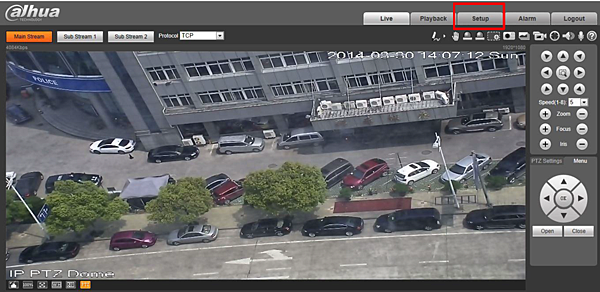
Step 1: Click the “Setup” tab to enter settings screen
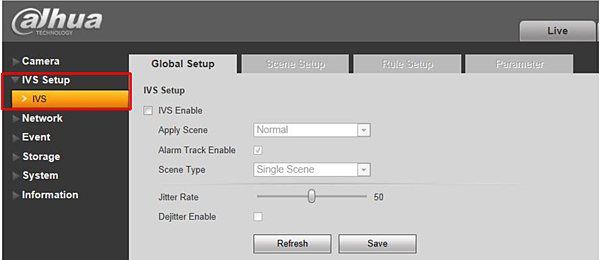
Step 2: Click the “IVS” tab to enter IVS settings
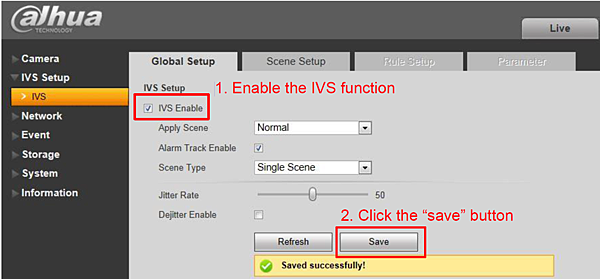
Sep 3: Enable the IVS function
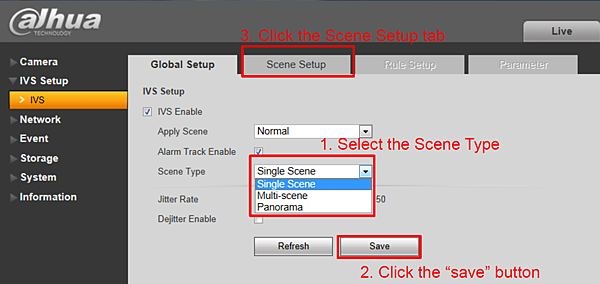
Step 4: Select the Scene Type
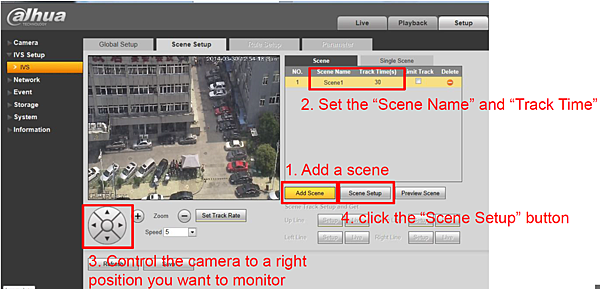
Step 5: In “Scene Setup” tab, add a scene
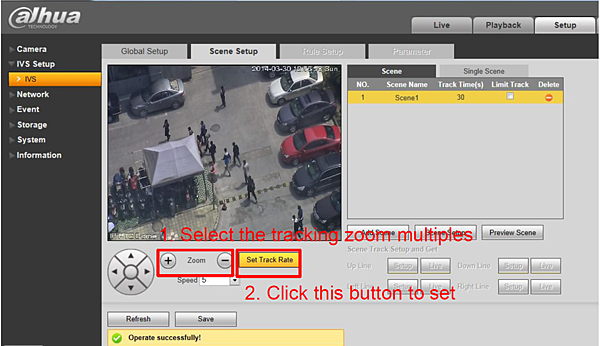
Step 6: Set the tracking zoom multiples
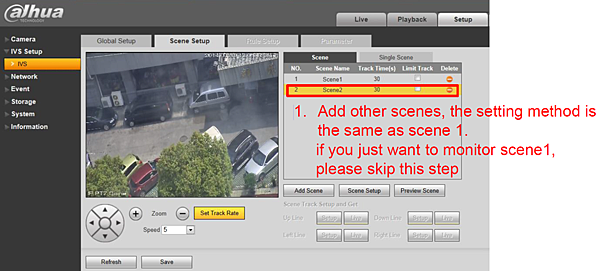
Step 7: Add other scenes you may want to monitor
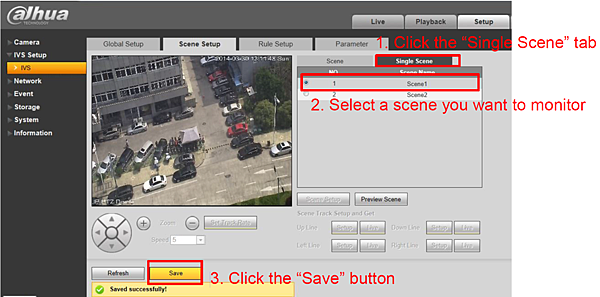
Step 8: Select a single scene you want to monitor
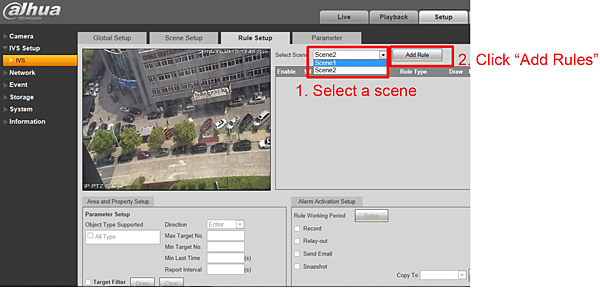
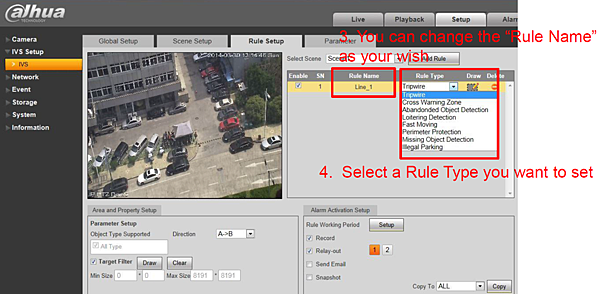
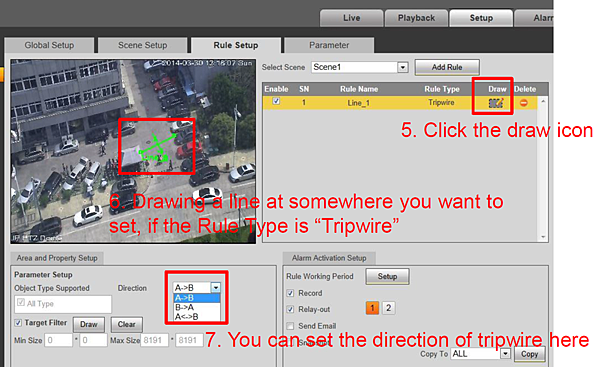
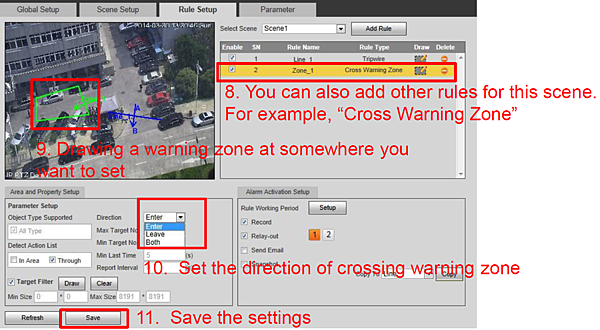
Step 9: Set the rules for each scene
Step10: Set the detect region and exclude in “Parameter”
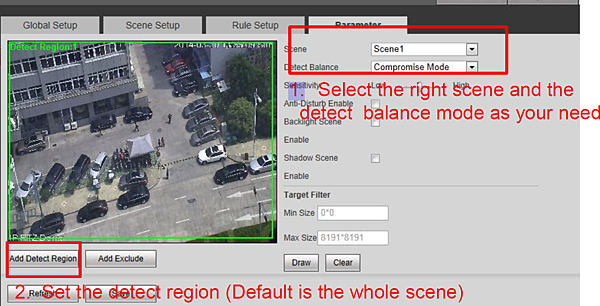
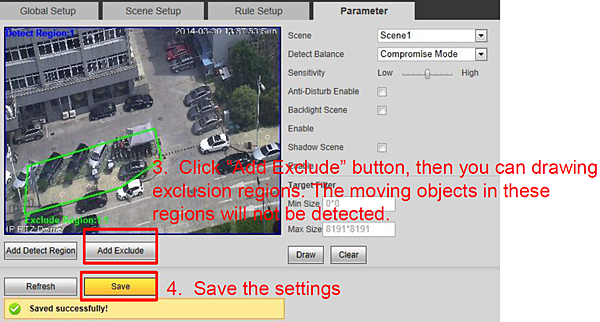
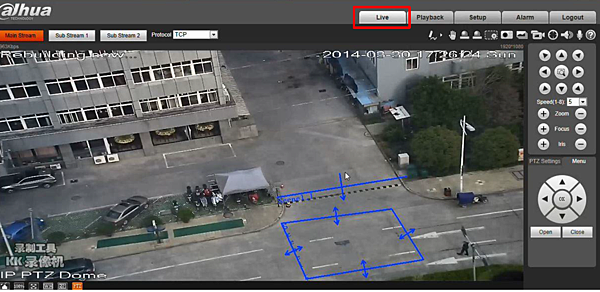
Step 11: Enter “Live” screen to make the rules take effect


留言